Sudoku Online
Play a number puzzle with corner and centre notes. Learn the controls below, then choose a difficulty or variant inside the game.
Sudoku Online
Play the official partner version in your browser.
Loading connects to Playgama and its game providers. Games may use cookies or local storage and show ads. Review any privacy choices shown inside the game.
Playgama privacy policyHow to play
Classic rules at a glance. Follow the game’s on-screen tutorial for its controls and modes.
- 01
Fill the empty cells with numbers from 1 to 9.
- 02
Use every number once in each row and column.
- 03
Each outlined 3 × 3 box must also contain every number once.
Choose a row, column or box with only a few empty cells. Check which numbers are missing before placing one.
How to use notes in Sudoku Online
This version has three entry modes beside the number keypad: Normal, Corner and Centre. We checked the steps below in a desktop browser on October 3, 2026. Mobile touch controls have not yet been independently tested.
- Select an empty cell on the board.
- Choose Corner, the small 1/2/3 icon beside the keypad. Click a number to add it as a small candidate in the cell.
- Click that number again while still in Corner mode to remove just that candidate. Other candidates remain.
- Choose Centre, the small 1/2 icon, to write candidates in the middle of the cell instead.
- When you have a confirmed answer, choose Normal, the large 9 icon, and select the number. A full-size number replaces the notes.
Select Play game to load the game. The provider may show an ad.
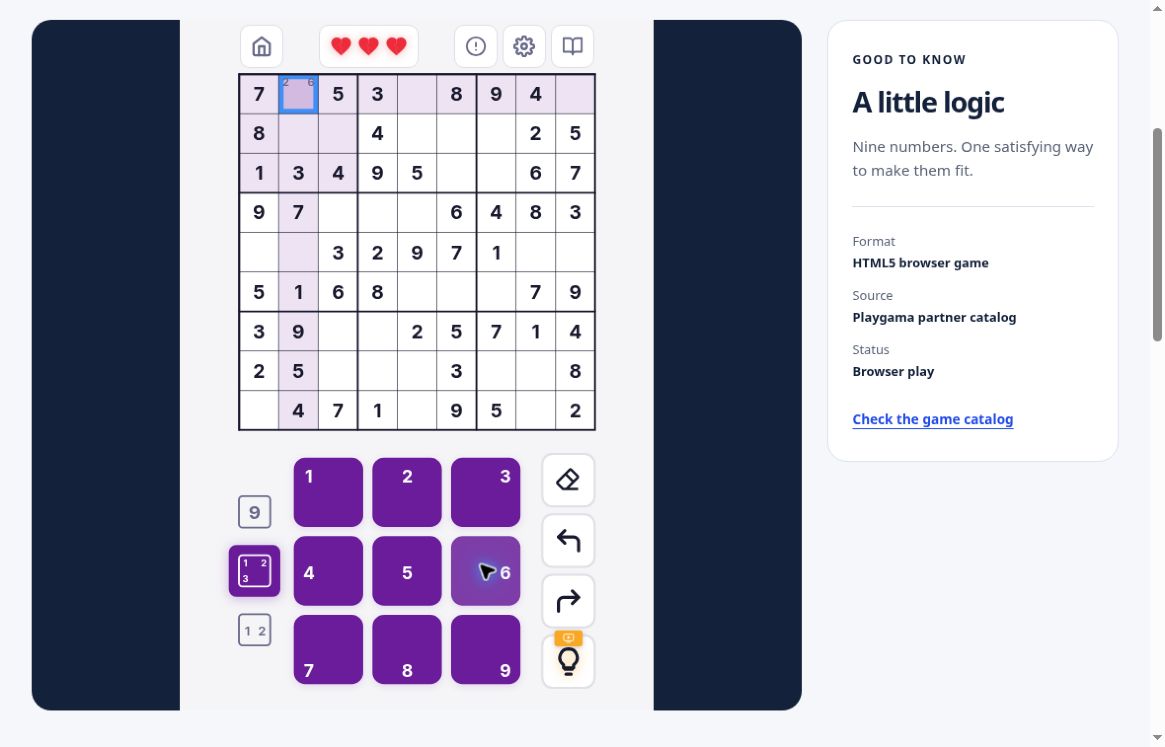
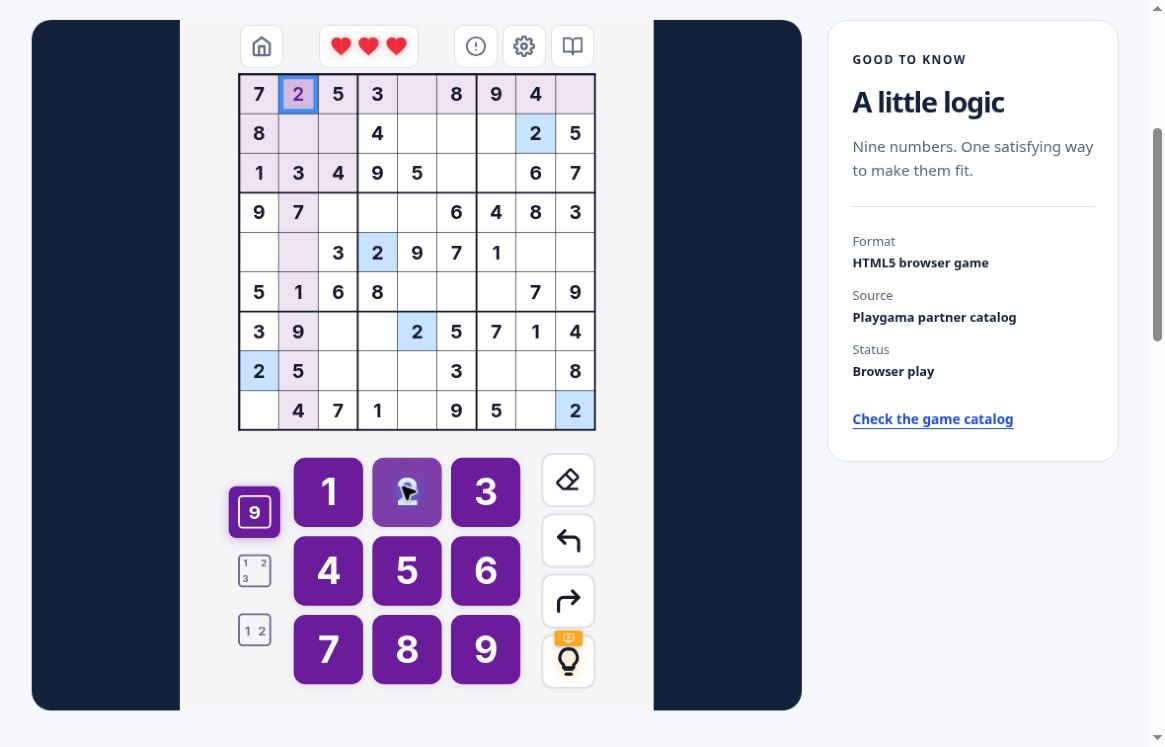
Where are Windoku and the other variants?
Open the game’s home menu, then New Game. The menu offers Easy, Medium, Hard and Expert, with additional-rule toggles for X-Sudoku, Windoku, Killer Cages and Kropki Dots. These toggles are off initially. Their menu presence was verified; individual variant gameplay has not been tested here.
Before you start
After this page’s Play game button, the provider may show its own Play screen and an advertisement before the game menu. Loading time depends on the provider and your connection. We have not verified saved-progress recovery, so do not assume your current puzzle will survive closing the page.
Find a move without guessing
Start with a row, column or box that has only a few blanks. List its missing digits, then check the crossing row and column for each empty cell. A digit already present in either crossing line cannot go in that cell. Use notes when several candidates remain.
For example, if a row is missing 2 and 7, and one empty cell’s column already contains 7, that cell must be 2. Recheck nearby cells after every placement: a solved cell can reveal another certain move.
Common questions
What are the standard Sudoku rules?
Each row, column and 3×3 box contains the digits 1 through 9 once each. Start with the fixed clues and fill only the empty cells.
Are there other modes?
The partner catalog lists four classic difficulty levels and X-Sudoku, Windoku, Killer and Kropki variants. Those variants add rules, so read their in-game instructions before starting.
What are pencil notes for?
Notes help track possible digits in a cell. Use Corner or Centre entry mode for candidates, then switch to Normal for a confirmed answer. The illustrated guide above shows the tested controls.